Skip to content
Nutrition, calculated

Build meals from products you actually eat.

Keep a clean library of products with energy in kJ, auto-calculated kcal and full macros — then stack them into meals, track your pantry and see every gram add up.

  • Free forever plan
  • No card, no obligation
  • Delete your account anytime

Install it straight from this site — no app store needed.

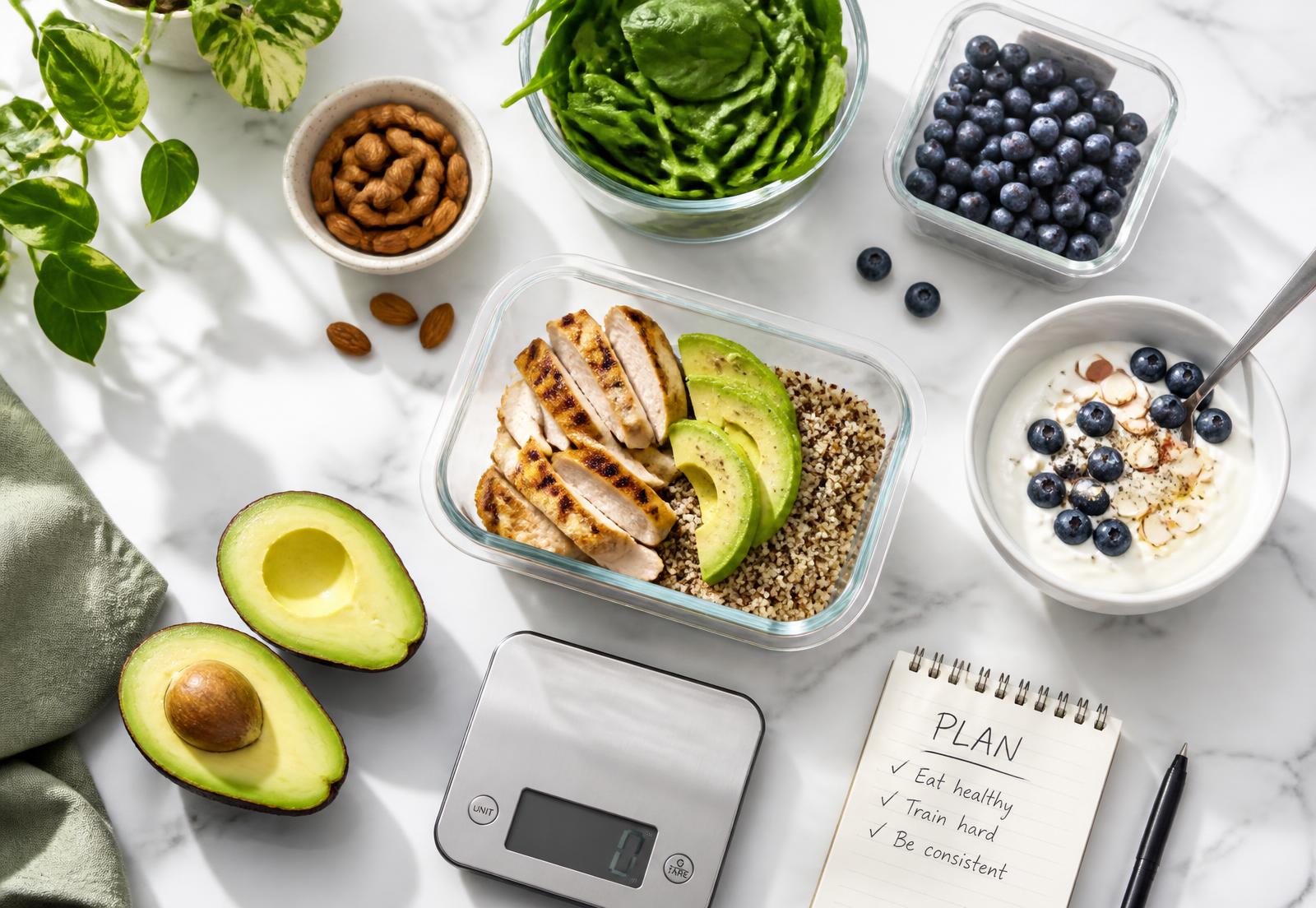
Meal prep containers with chicken, avocado, greens, berries and a kitchen scale

Everything the kitchen maths needs

MealMate covers the whole loop: catalogue, meal, cook, pantry, groceries and each person's daily targets.

Precise product library

Name, brand, photo, category, serving size in g or ml and full macros per 100g.

kJ in, kcal out

Enter energy in kilojoules and kcal is calculated automatically at kJ ÷ 4.184.

Lower-calorie swaps

Link any product to a leaner alternative and see the saving per ingredient.

Meal builder

Combine products with real gram weights and watch the totals update live.

Pantry that stays honest

Cooking deducts what you actually used, so remaining stock is always current.

Grocery list to pantry

Tick an item off the list and it lands in your pantry at the weight you bought.

Targets per person

Set daily kcal and macro limits for each household member and see the fit.

Dated meal log

Reusable recipes stay templates; every cook is logged by person and meal time.

Barcode scanning

Scan a barcode anywhere in the app to add stock, log a drink or prefill a new product.

AI scanning

Photograph a nutrition label, a restaurant menu or the plate itself and let AI fill in the numbers.

Retailer catalog

Import ready-made Woolworths, Checkers, Spar and Pick n Pay items, with only new items synced later.

Monthly insights

Interactive calorie charts, habit signals and plain-language takeaways for the month.

Fast food & takeaways

Log a meal from any outlet in seconds, with treat warnings on heavy items and sugary drinks.

Installable and offline-ready

Install MealMate on your phone and keep browsing your library when the signal drops.

Ready to try the whole loop?

Create a free account in seconds — no card, cancel whenever.

Start free
Scan, build, cook

From barcode to tracked meal in four steps

No spreadsheets, no guessing portion sizes. MealMate does the maths in the background while you cook the way you already cook.

  1. 01
    About a minute

    Scan what you buy

    Point your camera at a barcode or a nutrition label and MealMate fills in the brand, energy and macros. Or import a retailer catalog in one tap.

  2. 02
    Live totals

    Build the recipe in grams

    Add ingredients at the weights you actually use. Batch calories, calories per serving and the macro split update as you type.

  3. 03
    One tap

    Save calories with CalorieSave

    MealMate ranks lighter alternatives from the same category and shows exactly what each swap saves before you commit.

  4. 04
    Automatic

    Cook it and it tracks itself

    Say who ate and when. Pantry stock comes down, everyone's daily targets update, and the month builds into your insights report.

Step one takes about a minute

Create a free account in seconds — no card, cancel whenever.

Start free

Simple plans for every kitchen

Start on the free plan — no card, no obligation, and nothing expires. Paid pricing is not final yet; these tiers show what each plan will unlock.

Taste
Get started and explore the core tools with no commitment.
TBC/month

Pricing placeholder

25 products in your library
3 saved recipes
1 person with daily targets
1 AI scan per month
Barcode lookups not included
Last 7 days of insights
Most popular
Home Cook
More scans, more history, and full household flexibility.
TBC/month

Pricing placeholder

Unlimited products
Unlimited recipes
1 person with daily targets
25 AI scans per month
200 barcode lookups per month
Barcode and AI scanning
Full insights dashboard
Advanced CalorieSave swaps
Plan any week ahead
Full insights history
Household
Unlimited everything for a household that plans together.
TBC/month

Pricing placeholder

Unlimited products
Unlimited recipes
10 people with daily targets
50 AI scans per month
Unlimited barcode lookups
Barcode and AI scanning
Full insights dashboard
Export your insights
Advanced CalorieSave swaps
Share with your household
Plan any week ahead
Full insights history

The numbers you see on every meal

Energy

0.000 kJ / kcal

Every kJ you type is converted for you

Macros

0 numbers

Energy, protein, carbs and fat on every meal

Portions

0 views

Per 100g and per serving, side by side

Household

0 people

Each with their own daily targets

Questions people actually ask

The practical stuff: scanning, grams, pantry, takeaways and households.

Do I have to type nutrition tables by hand?
Rarely. Scan a barcode, photograph the label or import a Woolworths, Checkers, Spar or Pick n Pay catalog. Manual entry is there when you want it, and kJ converts to kcal as you type.
How is kcal calculated from kJ?
MealMate divides kilojoules by 4.184, the standard conversion, so 1000 kJ per 100g becomes 239 kcal per 100g.
Can I see values per serving as well as per 100g?
Yes. Macros are stored per 100g for consistent maths, and every product also shows the numbers for its own serving size, so you can compare either way.
What if I don't use the whole pack?
You work in real weights. Add stock at the amount you bought, cook with the grams you actually used, and the remaining pantry balance stays accurate.
What happens when an ingredient is missing?
MealMate checks your pantry before you cook and offers to skip it, add it as bought, swap in a lighter substitute, or send it to the right store's grocery list.
Can I log takeaways and restaurant meals?
Yes. Pick the outlet, log it as a quick one-off, or photograph the menu, receipt or plate and let AI estimate it. Heavy items and sugary drinks get a treat warning first.
Does it work for a whole household?
One shared library, a profile per person with their own daily calorie and macro targets, and every cooked meal logged against the people who ate it.
Does it work on my phone?
MealMate installs to your home screen like an app, is built mobile-first, and keeps your library browsable when your connection drops.

Still curious? The free plan answers the rest

Create a free account in seconds — no card, cancel whenever.

Start free
Install straight from this site

No app store needed

MealMate installs directly from your browser — you get an app icon, full-screen use and offline access to your recipes, pantry and products. On iPhone, tap Share then Add to Home Screen.

Start free

Start your product library today

Add your first few products, build a meal and watch the macros land. It takes a couple of minutes.

  • Free forever plan
  • No card, no obligation
  • Delete your account anytime

Free account, no card

Cancel anytime — nothing to commit to

Start free